Free modern resume template. Edit online, download as PDF.
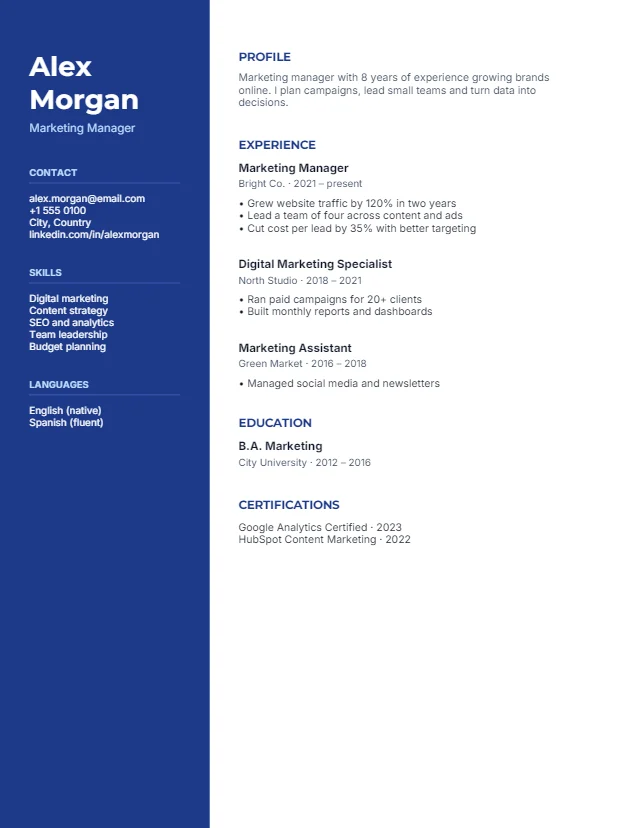
A two-column resume with a coloured sidebar for your contact details, skills and languages, and plenty of room for your experience. Edit it in your browser and download a PDF for your applications.
What’s included
- Your name and job title
- Contact details, skills and languages
- A short profile
- Experience with bullet points
- Education and certifications
Free · No signup · Nothing uploaded
How it works
-
Step 1
Open it
Click Edit this template. It opens in the editor, ready to change.
-
Step 2
Make it yours
Double-click any text to type over it. Drag things to move them, and use the toolbar for colours, fonts and pictures.
-
Step 3
Download
Click Download to save your PDF. Nothing is uploaded.
About this template
The sidebar holds your contact details, skills and languages; the main column has a short profile, your experience and your education. The sample text is for a marketing manager, so replace it with your own name, roles and results.
Recruiters read a resume in seconds, so keep each bullet to one line and start with a result: “Grew website traffic by 120%” says more than a list of duties.
Will job portals be able to read it?
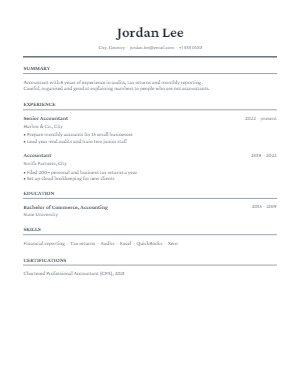
The PDF keeps real text that can be selected and searched, which most application systems read. If a portal asks for a plain one-column resume, use the classic resume instead.
My experience doesn’t fit on one page. What can I do?
Shorten older jobs to one line each, make the text a little smaller, or add a second page with + Blank page in the pages panel.
Can I change the colours?
Yes. Click the sidebar and choose a new Fill colour in the toolbar. Select any text to change its colour, size or font.
Is anything uploaded?
No. The template opens in your browser and the PDF is made on your device. Nothing you type is sent to us or anyone else.
Related templates
 Resume (classic)
 Cover letter
Free tools
- Create PDFInvoices, resumes and more from templates
- Sign PDFDraw your signature and place it
- Fill & add textType on forms and tick boxes
- Merge PDFCombine PDFs and images
- Organize pagesRotate, delete and reorder
- Split PDFExtract pages or split into files
- Redact PDFRemove private information
- Compress PDFMake a PDF smaller
- JPG to PDFTurn photos into a PDF
- Compress & convert imagesJPG, PNG and WebP
- HEIC to JPGConvert iPhone photos
Exact sizes & exam forms
Shrink a file to the size a form asks for, in one click.