Free classic resume template. Simple, clear, ready to send.
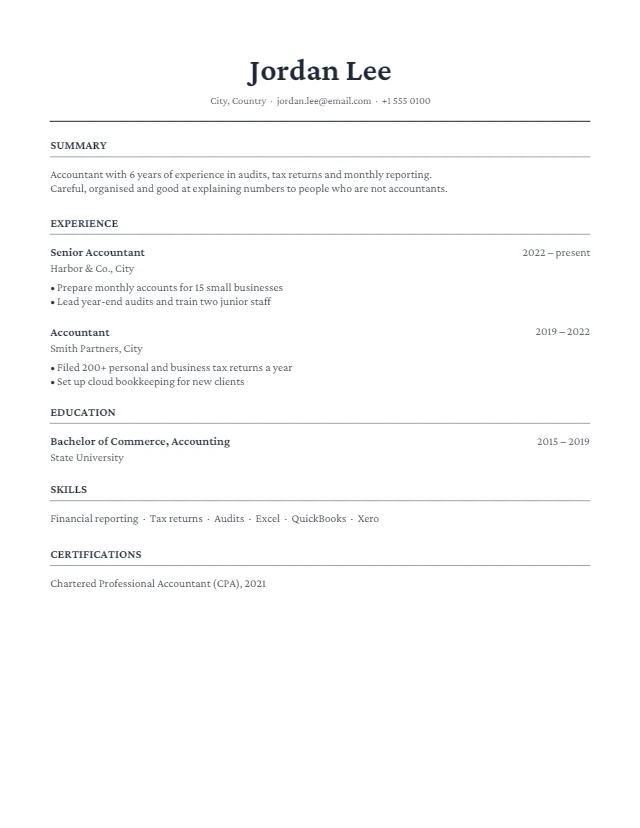
A traditional one-column resume in a classic serif font, with your summary, experience, education and skills. It suits any job, and application systems read it easily.
What’s included
- Your name and contact line
- A short summary
- Experience with dates and bullet points
- Education
- Skills
Free · No signup · Nothing uploaded
How it works
-
Step 1
Open it
Click Edit this template. It opens in the editor, ready to change.
-
Step 2
Make it yours
Double-click any text to type over it. Drag things to move them, and use the toolbar for colours, fonts and pictures.
-
Step 3
Download
Click Download to save your PDF. Nothing is uploaded.
About this template
Everything sits in one column from top to bottom: your name, a contact line, a summary, your experience with dates, your education and your skills. The sample is for an accountant, so replace it with your own roles and results.
A one-column layout is the safest choice for online applications, because there are no side columns for a system to read in the wrong order. Start each bullet with what you achieved, and keep the whole resume to one page if you can.
Will job portals be able to read it?
Yes. The PDF keeps real text in one column, which application systems read in the right order.
Can I add more jobs?
Yes. Click a job’s title, dates or bullets and press Ctrl+D to duplicate each one, then drag the copies into place. If you run out of room, add a page with + Blank page.
Is there a matching cover letter?
The cover letter template has the same name and contact line at the top; select its text and choose Crimson Pro in the toolbar to match this resume.
Is anything uploaded?
No. The template opens in your browser and the PDF is made on your device. Nothing you type is sent to us or anyone else.
Related templates
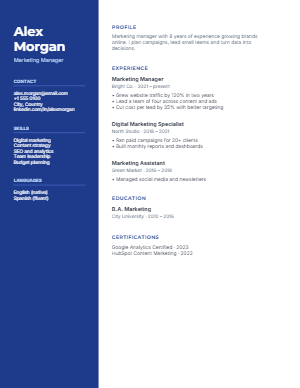 Resume (modern)
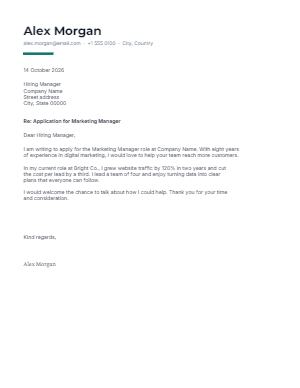 Cover letter
Free tools
- Create PDFInvoices, resumes and more from templates
- Sign PDFDraw your signature and place it
- Fill & add textType on forms and tick boxes
- Merge PDFCombine PDFs and images
- Organize pagesRotate, delete and reorder
- Split PDFExtract pages or split into files
- Redact PDFRemove private information
- Compress PDFMake a PDF smaller
- JPG to PDFTurn photos into a PDF
- Compress & convert imagesJPG, PNG and WebP
- HEIC to JPGConvert iPhone photos
Exact sizes & exam forms
Shrink a file to the size a form asks for, in one click.