Free class timetable template. Fill in and print.
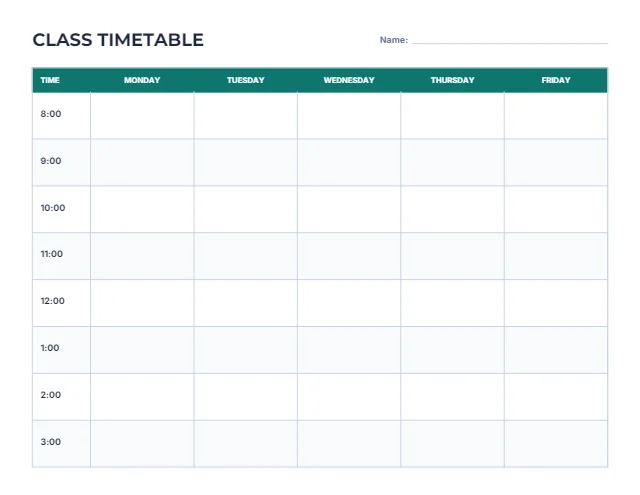
A weekly school timetable in landscape, with a row for every hour from 8:00 to 3:00 and a column for each day from Monday to Friday. Type in your lessons and print it.
What’s included
- A title and a name line
- Monday to Friday columns
- Hourly rows from 8:00 to 3:00
- A time column you can change
- Landscape, ready to print
Free · No signup · Nothing uploaded
How it works
-
Step 1
Open it
Click Edit this template. It opens in the editor, ready to change.
-
Step 2
Make it yours
Double-click any text to type over it. Drag things to move them, and use the toolbar for colours, fonts and pictures.
-
Step 3
Download
Click Download to save your PDF. Nothing is uploaded.
About this template
The timetable is a grid with the times down the side and the school days across the top. Click into a box and type a subject, room or teacher’s name.
Change the times to match your school’s periods, and use a different text colour or a highlight for each subject so the week is easy to read at a glance. Print one for school and one for home.
How do I type in a box?
Click Text in the toolbar, then click inside the box and type. Duplicate it with Ctrl+D to fill the next box quickly.
Can I change the times?
Yes. Double-click any time in the left column and type your own, for example 8:30 or “Break”.
How do I print it?
Print the downloaded PDF in landscape on Letter or A4 paper (choose “Fit to page” for A4).
Is anything uploaded?
No. The template opens in your browser and the PDF is made on your device. Nothing you type is sent to us or anyone else.
Related templates
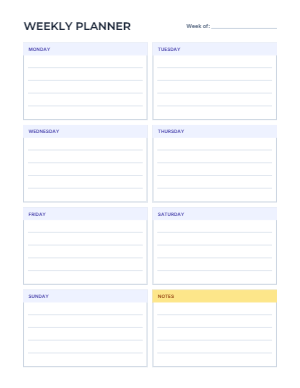 Weekly planner
 Certificate
Free tools
- Create PDFInvoices, resumes and more from templates
- Sign PDFDraw your signature and place it
- Fill & add textType on forms and tick boxes
- Merge PDFCombine PDFs and images
- Organize pagesRotate, delete and reorder
- Split PDFExtract pages or split into files
- Redact PDFRemove private information
- Compress PDFMake a PDF smaller
- JPG to PDFTurn photos into a PDF
- Compress & convert imagesJPG, PNG and WebP
- HEIC to JPGConvert iPhone photos
Exact sizes & exam forms
Shrink a file to the size a form asks for, in one click.