Free certificate template. Customise and print.
An elegant certificate of achievement in landscape, for awards, courses, competitions and staff recognition. Type the name and the reason, then download a PDF that’s ready to print.
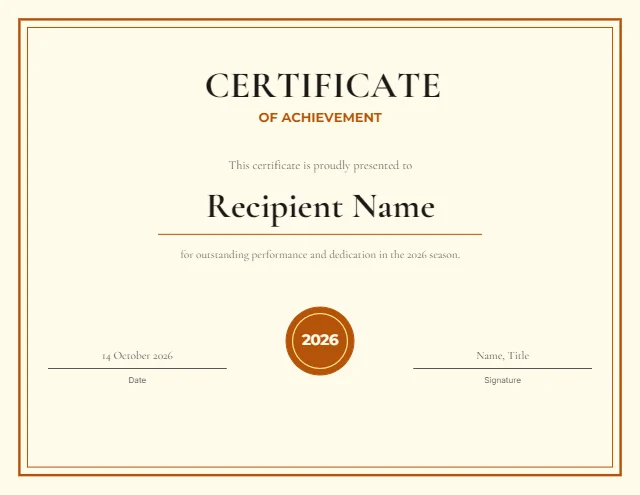
What’s included
- A title and subtitle
- The recipient’s name
- The reason for the award
- A year badge
- Date and signature lines
Free · No signup · Nothing uploaded
How it works
-
Step 1
Open it
Click Edit this template. It opens in the editor, ready to change.
-
Step 2
Make it yours
Double-click any text to type over it. Drag things to move them, and use the toolbar for colours, fonts and pictures.
-
Step 3
Download
Click Download to save your PDF. Nothing is uploaded.
About this template
The certificate has a double border, a large title, the recipient’s name above a line, a short reason, a year badge, and places for the date and a signature.
The text is centred, so when you change the name or the reason it stays in the middle of the page. To make certificates for several people, download one, change the name, and download again.
How do I print it?
Print the downloaded PDF in landscape on Letter or A4 paper (choose “Fit to page” for A4). Thick paper or card makes it look its best.
Can I sign it?
Yes. Click Sign in the toolbar, draw your signature with a mouse or finger, and place it on the signature line. Or print it and sign by hand.
Can I change “Certificate of achievement”?
Yes. Double-click the title or the subtitle and type, for example, “Certificate of completion” or “Certificate of appreciation”.
Is anything uploaded?
No. The template opens in your browser and the PDF is made on your device. Nothing you type is sent to us or anyone else.
Related templates
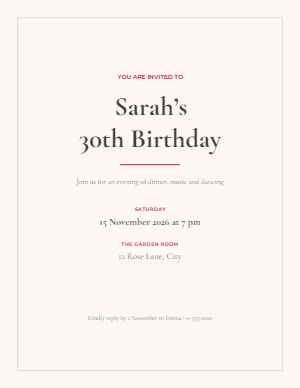 Invitation
 Event flyer
Free tools
- Create PDFInvoices, resumes and more from templates
- Sign PDFDraw your signature and place it
- Fill & add textType on forms and tick boxes
- Merge PDFCombine PDFs and images
- Organize pagesRotate, delete and reorder
- Split PDFExtract pages or split into files
- Redact PDFRemove private information
- Compress PDFMake a PDF smaller
- JPG to PDFTurn photos into a PDF
- Compress & convert imagesJPG, PNG and WebP
- HEIC to JPGConvert iPhone photos
Exact sizes & exam forms
Shrink a file to the size a form asks for, in one click.